

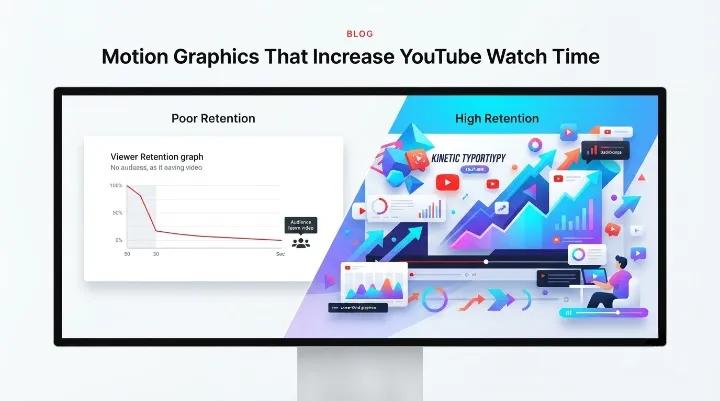
Motion graphics that improve YouTube viewer retention
Start With an Animated Hook
The opening few seconds should immediately capture attention.
Instead of beginning with a static title card, introduce movement through animated headlines, dynamic typography, or a visual preview of what's coming. This creates curiosity while encouraging viewers to continue watching.
Use Kinetic Typography for Important Messages
Animated text reinforces key points, making them easier to remember.
It also benefits viewers watching without sound—a common viewing behavior on mobile devices—by ensuring important information remains accessible.
Visualize Data Instead of Only Explaining It
Statistics, comparisons, and trends are easier to understand when presented visually.
Simple animated charts, progress indicators, timelines, or counters can make numerical information more engaging and memorable than spoken numbers alone.
Always ensure that any statistics displayed are supported by reliable sources.
Replace Abrupt Cuts With Purposeful Transitions
Transitions should guide viewers naturally from one idea to the next.
Simple zooms, wipes, fades, or motion-based scene changes can improve flow without becoming distracting. Consistent transitions also contribute to a more polished viewing experience.
Add Lower Thirds and Visual Callouts
On-screen labels, source references, and brief callouts help explain information without interrupting the narration.
These elements provide context while allowing the presenter to maintain a steady pace.
Introduce Visual Variety Throughout the Video
Attention naturally decreases during longer videos.
Adding a new graphic, changing layouts, highlighting key points, or briefly introducing animation every 20–30 seconds can help refresh viewer attention without overwhelming the audience.
The goal is purposeful variety—not constant movement.
Design End Screens That Encourage Continued Viewing
A well-designed animated end screen makes it easier for viewers to continue watching related content.
Instead of feeling like a separate advertisement, it should naturally extend the viewing experience by directing viewers to another relevant video or playlist.
Motion Graphics vs. Static Slides vs. Live Footage
Format | Viewer Engagement | Best Used For | Production Effort |
|---|---|---|---|
Motion Graphics | High visual engagement through movement and pacing | Explainers, educational content, product demonstrations | Moderate |
Static Slides | Lower engagement over extended periods | Internal presentations, simple announcements | Low |
Live Footage | Varies depending on presentation and editing quality | Interviews, testimonials, vlogs | Low to High |
Many successful YouTube creators combine all three approaches. Motion graphics are especially useful during introductions, explanations, data-heavy sections, and end screens where maintaining viewer attention matters most.
Common Mistakes That Reduce Viewer Retention
Some motion graphics can have the opposite effect if they are overused or poorly timed.
Common issues include:
Using excessive animation that distracts from the message.
Animating every element instead of emphasizing important information.
Poor synchronization between graphics and narration.
Leaving the opening of the video visually static.
Mixing inconsistent fonts, colors, and animation styles across videos.
Skipping mobile previews before publishing.
Thoughtful animation should support the content—not compete with it.
Best Practices for Retention-Focused Motion Design
To create motion graphics that improve the viewing experience:
Match animation timing to the voiceover rather than relying on preset templates.
Use animation to clarify ideas instead of decorating every scene.
Review YouTube Studio audience-retention graphs after publishing to identify where viewers leave.
Maintain consistent branding through colors, typography, and animation style.
Ensure the thumbnail, opening frame, and overall visual style feel connected.
Test videos on both desktop and mobile devices before publishing.
Small improvements made consistently often have a greater long-term impact than adding increasingly complex animations.
Choosing Professional Motion Graphics Support
Some businesses and content creators choose to work with professional motion graphics teams when producing educational videos, product explainers, or marketing content at scale.
A professional studio can assist with:
Storyboarding
Motion design
Typography
Data visualization
Brand consistency
Video editing
Animation strategy
For example, Pixel Studios INC provides motion graphics and animation services for businesses creating YouTube content, product demonstrations, and marketing videos. When selecting any animation partner, consider reviewing their portfolio, production process, communication style, and previous client work rather than focusing solely on visual effects.
Conclusion
Increasing YouTube watch time is rarely about adding more content—it is about presenting information in a way that keeps viewers engaged.
Well-planned motion graphics can improve pacing, emphasize important ideas, simplify complex information, and create smoother transitions between topics. Combined with strong storytelling and useful content, these visual elements help encourage viewers to stay longer and continue watching additional videos.
If your audience-retention graph consistently shows viewers leaving early, reviewing the pacing, structure, and visual presentation of your videos may reveal opportunities for improvement before investing in new topics or larger production budgets.